
Cold Email Infrastructure for Agencies: A Clean Setup That Prevents Client Cross-Contamination
%201.png)
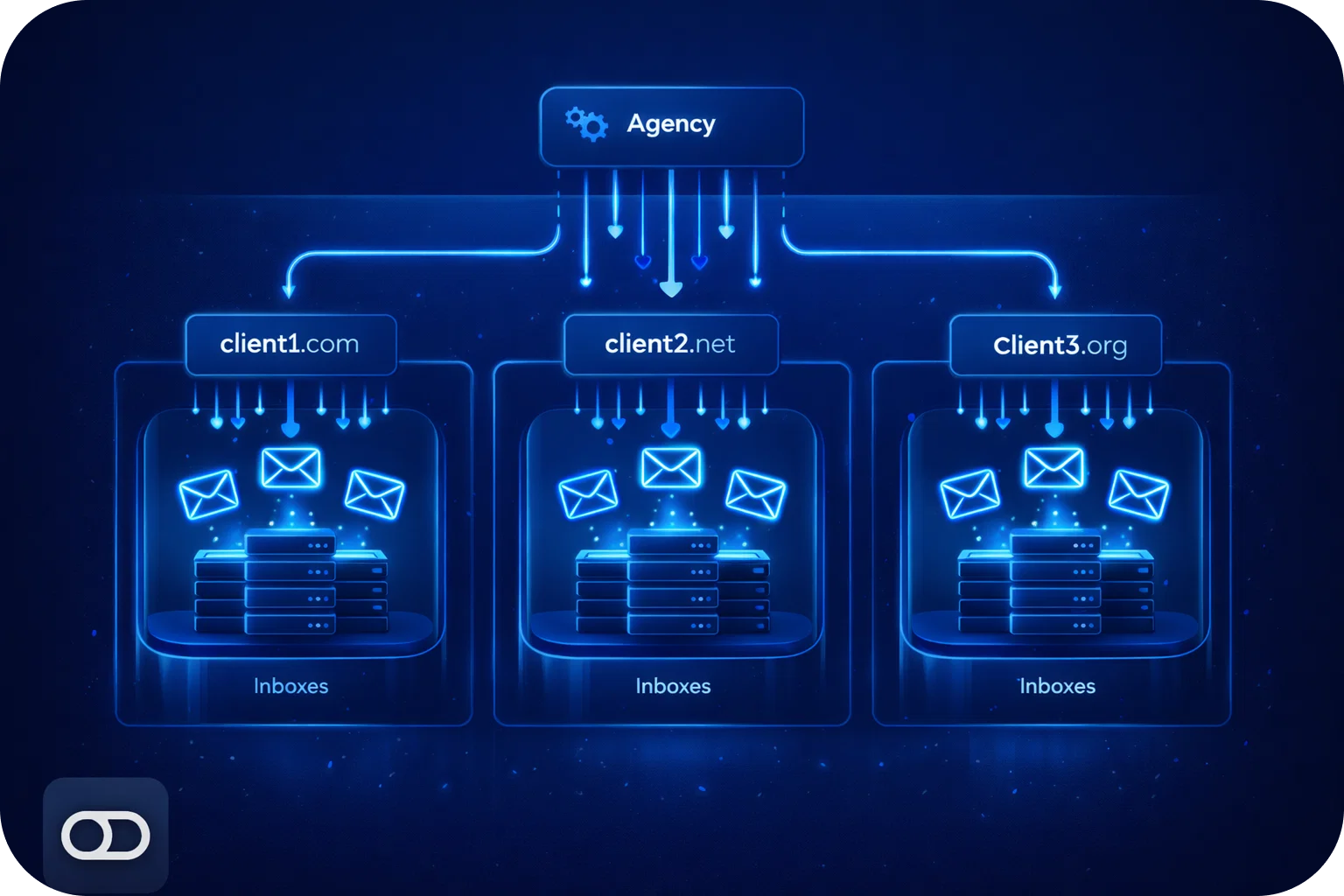
Cold email can be a growth engine for agencies and sales teams, until one client’s poor setup tanks deliverability for everyone. “Cross-contamination” happens when multiple clients share domains, inboxes, IP reputation, or sending patterns in a way that lets one bad actor (or one sloppy configuration) drag the rest into spam.
This guide walks you through a clean, scalable cold email infrastructure that keeps client reputations isolated, protects inbox placement, and makes it easy to grow volume safely.
What “client cross-contamination” actually looks like
Cross-contamination is any scenario where deliverability risk is shared across clients. Common examples:
- Multiple clients sending from the same domain or subdomain
- Shared inbox pools where credentials, forwarding, or aliases overlap
- Reusing DNS records or tracking domains across accounts
- Centralized sending that creates identical patterns across clients
- One client’s spam complaints, bounces, or blacklist events affecting others
Even if you’re doing everything “mostly right,” shared reputation surfaces can quietly accumulate risk over time.
Why agencies get hit harder than in-house teams
Agencies deal with:
- Many brands, many offers, many list qualities
- Different compliance standards and risk tolerance per client
- Pressure to scale volume quickly
- Operators rotating in and out (handoffs create mistakes)
In-house teams can standardize around one brand and one risk profile. Agencies need infrastructure that assumes variance and contains it.
The clean infrastructure principle: isolate reputation surfaces
A clean setup isolates the things that influence deliverability:
- Domains (root + subdomains)
- Mailboxes (accounts and sending identities)
- DNS (SPF, DKIM, DMARC, tracking)
- IP reputation (shared vs dedicated)
- Sending patterns (volume ramp, cadence, copy)
Your goal is simple: one client’s mistakes should not affect another client’s ability to land in the inbox.
Step-by-step: a clean, cold email infrastructure for agencies
1) Create a per-client domain strategy (no shared sending domains)
Rule: Never send a cold email to multiple clients from the same domain.
A practical approach:
- Use a dedicated sending domain per client (not their main website domain)
- Keep it brand-aligned but distinct (e.g., getbrand.com → trybrand.com, brandhq.com, brand-mail.com)
- Consider multiple sending domains per client if volume is high or if you want additional isolation
Why not the main domain? Because cold email risk is real. You don’t want to jeopardize the client’s core inbound, support, and transactional email.
2) Keep mailbox pools isolated per client
Rule: One client = their own mailbox pool.
That means:
- Separate mailbox purchases/creation per client
- No shared inboxes, no shared aliases, no shared forwarding rules
- Separate admin access and credential vaulting
A clean pool also makes it easier to pause or replace a client’s infrastructure without touching anyone else.
Volume guardrails (best practice):
- Max 100 emails per inbox per day (recommended: 20/day)
- Max 5 inboxes per domain (recommended: 3/domain)
Those limits keep the reputation stable and reduce the chance of sudden deliverability drops.
3) Automate DNS correctly (and uniquely) per client
DNS is where agencies accidentally “copy/paste” risk.
For each sending domain, ensure:
- SPF includes only the providers actually sending
- DKIM is enabled for every mailbox provider
- DMARC set with a clear policy (start with monitoring if needed)
- Separate tracking domains if your outreach tool supports it
Avoid reusing the same tracking domain across clients. It’s another shared reputation surface.
4) Decide: shared IP vs dedicated IP (and when)
Not every client needs a dedicated IP. But you should be intentional.
- Shared IP can work well when the platform maintains strict hygiene and your clients follow best practices.
- Dedicated IP makes sense when:
- A client has high volume
- They need maximum isolation
- You want tighter control over reputation
The key is consistency: don’t mix clients in ways that create invisible reputation coupling.
5) Warm up properly before scaling
Warm-up isn’t optional. It’s the “trust-building” phase for new domains and inboxes.
Best practice:
- Warm up for 3–4 weeks before full-scale sending
- Ramp volume gradually (avoid sudden spikes)
- Keep early messaging simple and low-risk
If you skip warm-up, you’ll see it in:
- Higher spam placement
- Lower reply rates
- Provider throttling
- Faster domain burnout
6) Standardize sending patterns, but don’t clone them
Agencies love templates. Deliverability hates identical patterns at scale.
Do standardize:
- Ramp schedules
- Daily sending caps
- Bounce thresholds and stop rules
- List hygiene requirements
But avoid cloning:
- Identical subject lines across clients
- Identical sending windows and cadences
- Identical tracking domains
- Identical signature blocks
A good system gives you repeatable operations without creating “machine-like sameness.”
7) Build “stop rules” that protect the whole operation
Cross-contamination often happens because teams keep sending through a problem.
Set non-negotiable stop rules per client:
- If bounce rate exceeds your threshold, pause and investigate
- If spam complaints spike, pause immediately
- If inbox placement drops, reduce volume and rotate copy
- If a domain gets flagged, isolate and replace it
This is how you keep one client’s issues from becoming everyone’s issues.
A simple agency architecture that scales cleanly
Here’s a clean baseline you can replicate:
- Per client: 1–3 sending domains
- Per domain: 3 inboxes (recommended)
- Per inbox: 20–50 emails/day (start low)
- Warm-up: 3–4 weeks
- Isolation: separate DNS, tracking, inbox pools, and reporting
If a client needs more volume, scale by adding domains and inboxes, without touching other clients.
Operational checklist (copy/paste)
Per client onboarding
- Confirm ICP, offer, and compliance requirements
- Acquire sending domain(s)
- Create an inbox pool (separate from other clients)
- Configure SPF/DKIM/DMARC
- Connect outreach tool
- Start warm-up
- Set sending caps and ramp plan
- Define stop rules and monitoring
Weekly maintenance
- Review inbox placement and bounce trends
- Rotate copy and segments if performance dips
- Replace failing inboxes/domains quickly
- Audit DNS and provider settings
Common mistakes agencies should avoid
- Sending from the client’s main domain
- Reusing the same sending domain across multiple clients
- Scaling volume too fast
- Ignoring warm-up timelines
- Copy/pasting DNS records without validating provider-specific requirements
- Treating deliverability as “set and forget.”
How Mailpool helps agencies prevent cross-contamination
Mailpool is built to make clean infrastructure easy to deploy and manage, especially when you’re handling multiple clients.
With an all-in-one cold email infrastructure platform, you can:
- Create and manage inboxes and domains at scale
- Automate deliverability setup (including DNS configuration)
- Keep client infrastructure clean and separated
- Monitor deliverability and scale safely with clear volume guardrails
If you’re running outreach for multiple brands, the fastest way to protect results is to standardize a clean setup that isolates risk from day one.
More articles



Get started now


