
The Impact of Email Design on Deliverability: Plain Text vs. HTML
%201.png)
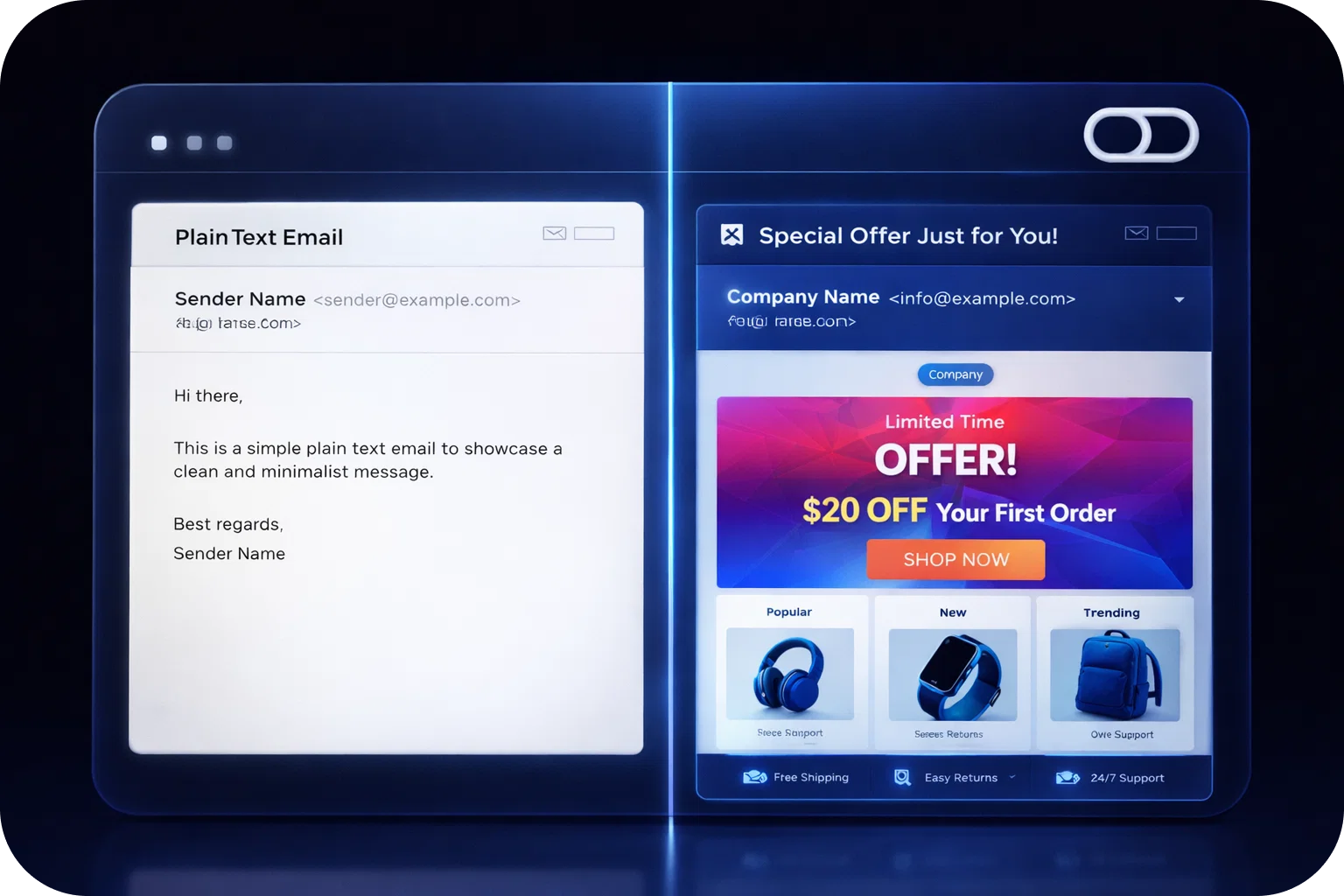
Email deliverability is the make-or-break factor in any cold email campaign. You can have the perfect subject line, a compelling offer, and a highly targeted list, but if your emails don’t land in your audience’s inbox, none of that matters. For startups and sales teams, every message counts, so understanding the technical and strategic factors that affect deliverability is essential.
One of the most influential yet underestimated elements is email design. The choice between plain text and HTML isn’t just about aesthetics. It directly impacts whether your message reaches the inbox, gets flagged as spam, or is simply ignored. This guide unpacks the differences between plain text and HTML emails, how design affects deliverability, and offers actionable best practices to help you maximize your cold email ROI.
What is Email Deliverability?
At its core, email deliverability is the ability of your message to reach the recipient’s inbox. It’s not just about whether your email was sent, it’s about whether it was delivered, landed in the primary inbox, and was seen by the prospect.
Key factors influencing deliverability include:
- Sender Reputation: ISPs track your sending history. High bounce rates, spam complaints, or sending to purchased lists can hurt your reputation.
- Authentication: Proper setup of SPF, DKIM, and DMARC signals that your emails are legitimate.
- Content & Design: Spammy language, excessive images, or suspicious links can trigger filters.
- Engagement: Low open or reply rates can signal to ISPs that your emails aren’t wanted.
- Frequency & Volume: Sudden spikes in sending or consistently high volumes without warming up can raise red flags.
Deliverability is especially crucial for cold outreach, where recipients may not recognize your brand. Even a small improvement in inbox placement can translate to dozens or hundreds of new opportunities for startups and sales teams.
Plain Text Emails: Pros, Cons, and Use Cases
What Are Plain Text Emails?
Plain text emails are exactly what they sound like, messages that contain only text. There are no images, colors, special fonts, or clickable buttons. They’re reminiscent of the earliest days of email and look like a message you’d send to a colleague or friend.
Pros:
- High Deliverability: Because they’re simple and resemble personal communication, plain text emails are less likely to be filtered as spam.
- Authenticity: Recipients often perceive plain text emails as more genuine and less “salesy,” which can increase reply rates.
- Universal Compatibility: These emails render perfectly on all devices and clients, from smartphones to legacy systems.
- Fast Loading: No heavy images or code means instant loading, even on slow connections.
Cons:
- Limited Branding: You can’t use your logo, brand colors, or custom fonts.
- No Visual Hierarchy: Without formatting, it can be harder to highlight key points or CTAs.
- Tracking Limitations: Open and click tracking is more difficult, as there are no images or buttons to attach tracking pixels.
HTML Emails: Pros, Cons, and Use Cases
What Are HTML Emails?
HTML emails use HyperText Markup Language to add structure, style, and interactivity. They can include images, buttons, columns, and custom fonts, making them visually engaging and on-brand.
Pros:
- Visual Branding: Use your logo, colors, and design elements to reinforce brand identity.
- Structured Content: Divide your message into sections, use headings, and highlight key points.
- Interactive Elements: Add buttons, links, and even videos.
- Advanced Tracking: Easily track opens, clicks, and conversions with embedded pixels and UTM parameters.
Cons:
- Spam Risk: Poorly coded or image-heavy HTML emails are more likely to be flagged as spam or routed to the Promotions tab.
- Rendering Issues: Not all email clients display HTML emails the same way; what looks great in Gmail may break in Outlook.
- Perceived as Bulk: HTML emails can feel less personal, especially in a cold outreach context.
- Slower Loading: Large images or complex code can slow down load times, especially on mobile.
How Email Design Impacts Inbox Placement
Your email’s design is one of the first things spam filters analyze. Here’s how design choices can impact where your email lands:
- Plain Text:
- Mimics one-to-one communication, which filters trust.
- Less likely to contain spam triggers (no hidden code, images, or suspicious links).
- HTML:
- Heavy use of images, large fonts, or unbalanced code can trigger spam or Promotions filters.
- If your HTML code is sloppy or copied from a template without cleaning, it can include hidden elements or tracking code that raises red flags.
- Large or missing images, or missing alt text, can also hurt deliverability.
Best Practices for Inbox Placement:
- Keep HTML emails simple and clean.
- Always include a plain text version in your sends (most email platforms allow multipart emails).
- Avoid using only images for your message; always have real text content.
Spam Filters: What They Look For
Spam filters are sophisticated and use a combination of rules, algorithms, and machine learning to assess every incoming email. Here’s what they scrutinize:
- Formatting:
- Excessive images, large colored fonts, or background colors.
- All-caps subject lines and excessive exclamation marks.
- Links:
- Too many links, especially to domains with poor reputations.
- Mismatched link text and URLs.
- Code Quality:
- Poorly coded HTML, especially if copied from Word or a web page.
- Hidden elements (white text on white background).
- Attachments:
- Large or executable files.
- Keywords:
- Overused phrases like “FREE,” “Act Now,” or “Limited Time Offer.”
- Sender Reputation:
- Consistency in sending, low complaint rates, and proper authentication.
Pro Tip:
Use tools like Mail-Tester, GlockApps, or your email platform’s preview features to check your email against common spam triggers before launching a campaign.
Engagement Metrics: Plain Text vs. HTML
Plain Text:
- Higher Reply Rates: Feels like a real conversation, so recipients are more likely to respond.
- Lower Measured Opens/Clicks: Without images or buttons, tracking is limited. You can use unique links to gauge engagement, but open tracking is less reliable.
- Trust Factor: Recipients are less suspicious of plain text, which can lead to more meaningful conversations.
HTML:
- Higher Measured Opens/Clicks: Embedded tracking pixels and clickable buttons make it easy to measure engagement.
- Lower Reply Rates: Bulk appearance can reduce the likelihood of a personal response.
- Branding Impact: Visually engaging, which helps with brand recall and recognition.
Best Practices for Cold Email Design
For Plain Text:
- Personalize every email with the recipient’s name, company, or context.
- Keep paragraphs short and easy to scan.
- Use a single, clear call-to-action (e.g., “Book a call” or “Reply with your availability”).
- Avoid attachments and unnecessary links.
For HTML:
- Use a clean, minimal template with plenty of white space.
- Balance images and text—never rely solely on images.
- Make sure your CTA stands out, but don’t overdo it.
- Always include alt text for images and test rendering across devices.
- Include a plain text version for accessibility and deliverability.
General Tips:
- Authenticate your domain (SPF, DKIM, DMARC).
- Warm up new domains and IPs gradually.
- Monitor your sender reputation with tools like Google Postmaster Tools or Sender Score.
- Regularly clean your email lists to remove bounces and inactive addresses.
Testing and Monitoring Deliverability
Before launching a campaign, always test:
- Spam Score: Use online tools to check your content, links, and code for common spam triggers.
- Rendering: Preview your email in major clients (Gmail, Outlook, Apple Mail) and on mobile devices.
- Inbox Placement: Use seed lists to see where your email lands (Inbox, Promotions, Spam).
- Analytics: Track opens, clicks, replies, and bounces. Use this data to refine your approach.
Ongoing Monitoring:
- Watch for sudden drops in open or reply rates, which may indicate deliverability issues.
- Solicit feedback from recipients, ask if emails landed in spam or promotions.
- Regularly update and test your templates to keep up with evolving spam filter algorithms.
Choosing the Right Format for Your Campaign
There’s no one-size-fits-all answer. The best format depends on your audience, goals, and the nature of your campaign.
- Cold Outreach & Sales:
Plain text is often best. It feels personal, avoids spam filters, and encourages authentic replies. If you want to track engagement, consider adding a unique link or using a simple HTML template that mimics plain text but allows for tracking. - Brand-Driven Campaigns & Newsletters:
Use HTML for visual impact, branding, and advanced analytics. Just keep design clean and avoid overdoing images or code. - Hybrid Approach:
Some companies use “lightweight” HTML, simple templates with subtle branding and a clear CTA, plus a plain text version for deliverability.
Questions to Ask:
- What’s more important: replies or clicks?
- Do you need to reinforce your brand visually?
- Is your audience likely to be reading on mobile or desktop?
- Are you sending to new prospects (cold) or existing subscribers (warm)?
Conclusion
Email design isn’t just about looks; it’s a strategic decision that impacts your entire outreach funnel. For startups and sales teams, choosing the right format can mean the difference between a thriving pipeline and missed opportunities.
- Use plain text for cold outreach and when authenticity matters.
- Use HTML for newsletters, product updates, and when you need to track engagement.
- Always test, monitor, and refine your approach based on results.
Deliverability is a moving target, but by understanding how design affects your emails, you’ll be better equipped to adapt and succeed. Ready to take your cold email deliverability to the next level? Book a demo with Mailpool today and discover how our platform helps startups and sales teams scale outreach, improve inbox placement, and drive real results.
More articles



Get started now


